

One clear recommendation
No scrolling through a catalogue. You get a workout for today and can adjust it or skip an exercise that doesn't suit you today.

Personal AI coach for iPhone
Every day Beqela prepares one realistic workout based on how much time you have, how you feel and what you have at home. You just open the app and start.
Coming soon to the App Store · iPhone with iOS 18 or later · in English
Every day you know what makes sense to do today.
No browsing a catalogue. No guilt when a week doesn't go to plan.
Why it didn't stick before
The problem usually isn't how to do a squat. It's the decisions, the lack of time and the fact that every week looks different.

How it works
The coach knows your goal, history, equipment and limitations. From that it builds one workout every day – and learns from every set how to build the next one.
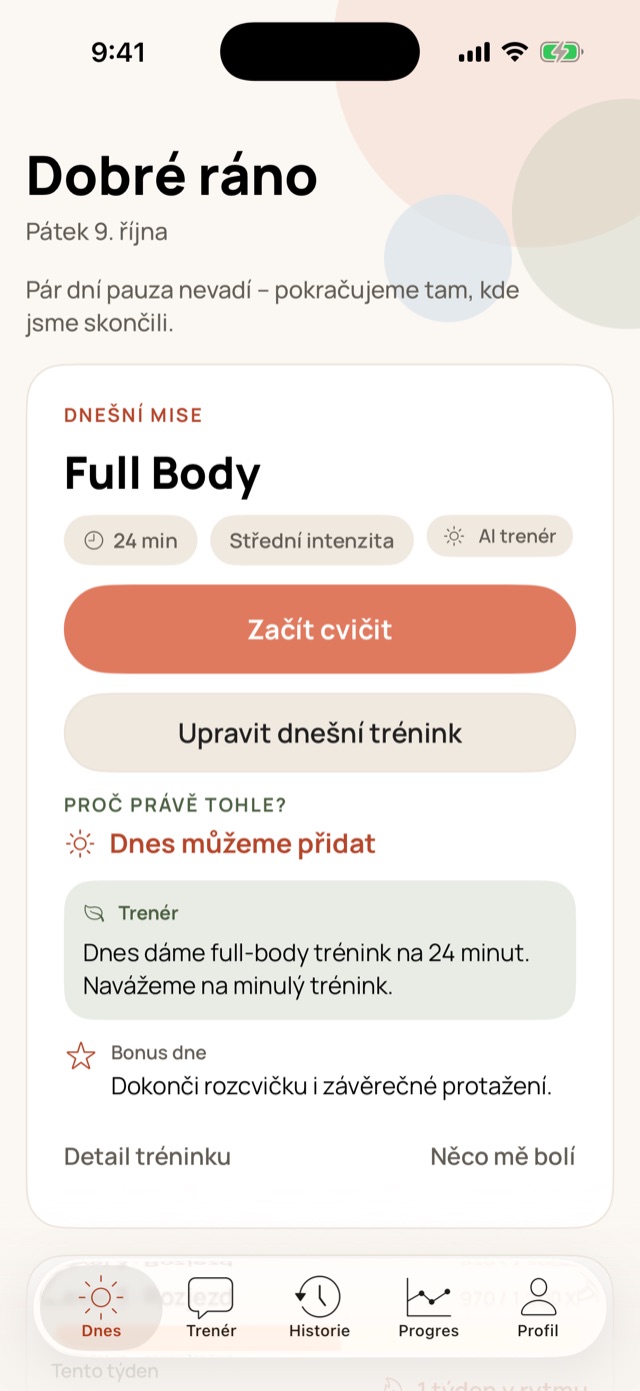
You open the app and today's workout is already waiting. One clear recommendation, with an explanation of why this one.
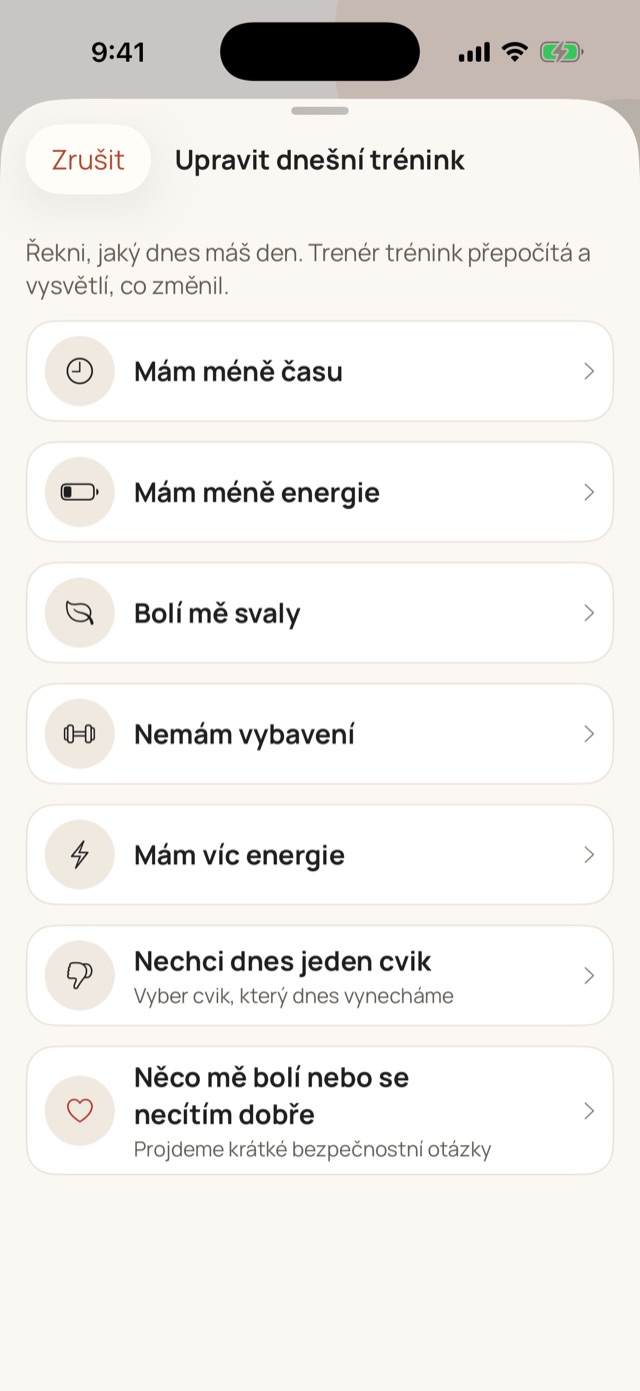
Less time, low energy or sore muscles. The coach recalculates the workout, explains what changed – and doesn't break the long-term plan.
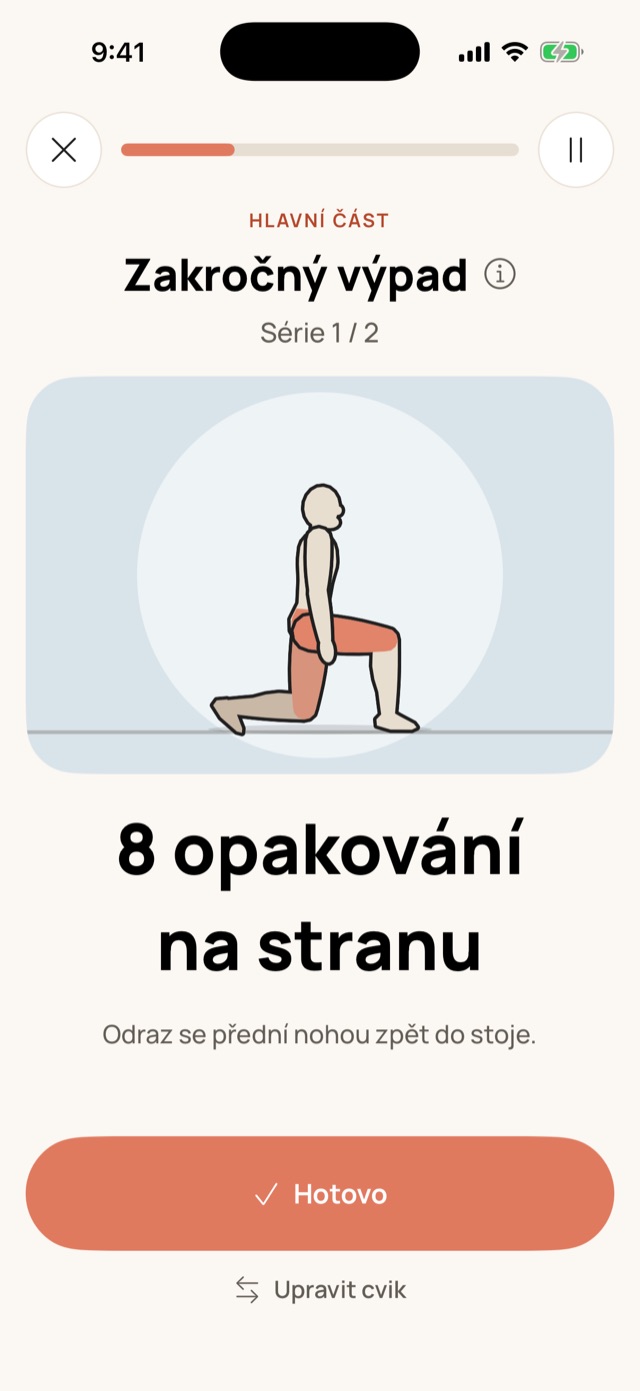
You see every exercise in real tempo. Countdown, rests and voice cues guide you to the end.
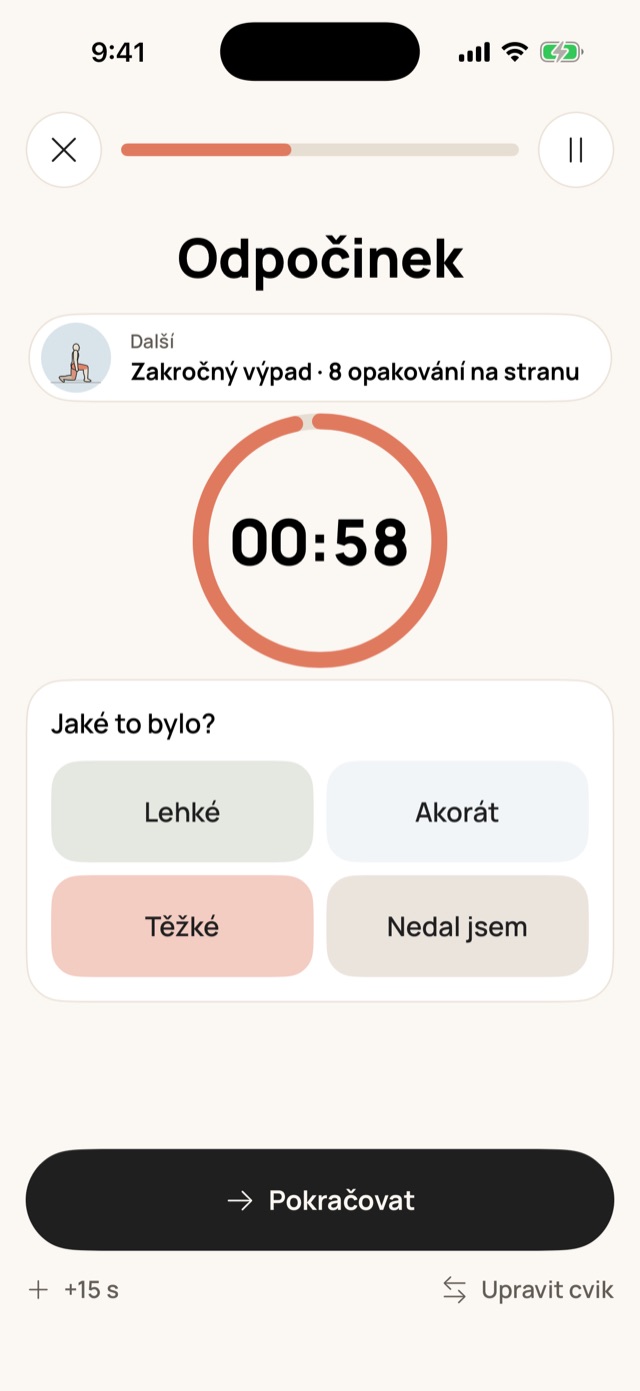
Easy, just right or hard? The next set and the next workout adapt to it.
What we build on
No scrolling through a catalogue. You get a workout for today and can adjust it or skip an exercise that doesn't suit you today.
Today can change at any time. Progress, recovery and your weekly goal still hold together.
Every workout comes with a reason. The coach doesn't pretend and doesn't invent certainty it doesn't have.
A break isn't failure or a restart from zero. Depending on how long it was, you get a safe next step.
A coach you can talk to
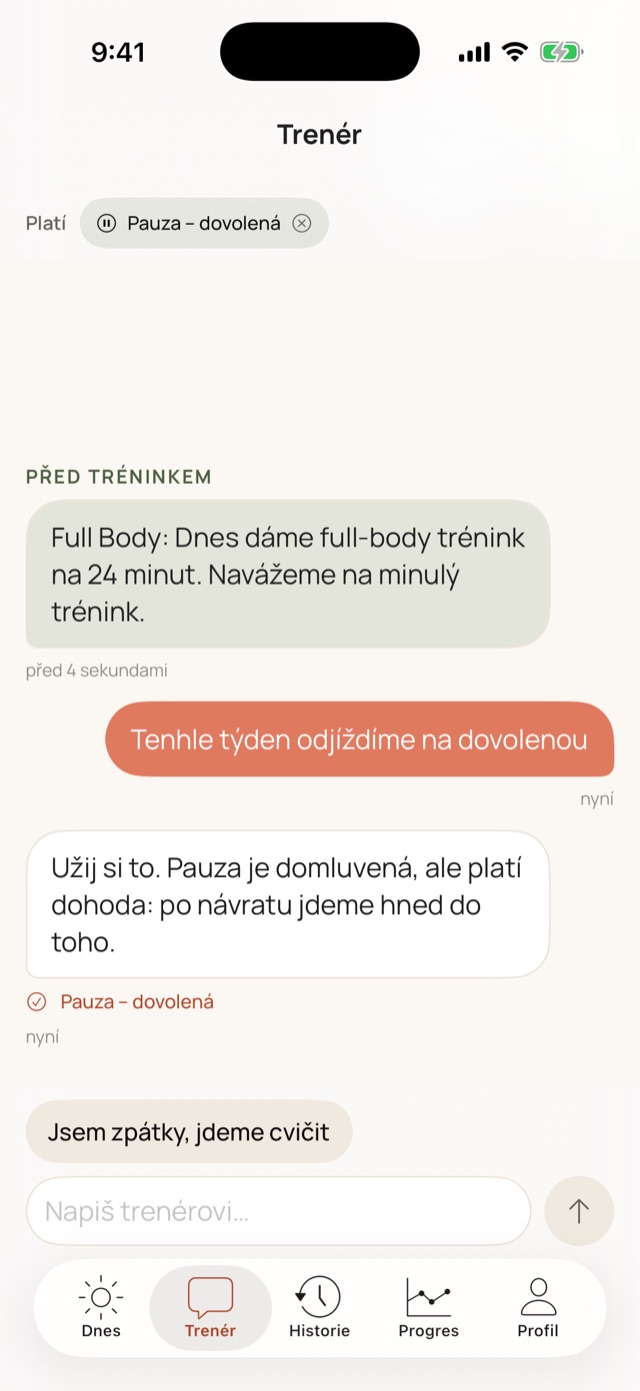
The coach remembers what you agreed on and adjusts the next workouts accordingly. For example:
The tone is positive, kind and gently encouraging. The coach appreciates honest work, never shames anyone, and treats recovery as part of the plan.
Morning message
A short message from the coach: what workout is coming today and why. It greets you by name, cheers when you're close to your weekly goal, and stays quiet on pause days.
It never shows health information on the lock screen. You can set the time or turn the message off in Profile.
Exercise animations
Over 70 exercises animated in real tempo, including equipment. Colours show which muscles are working. The animations run right on your phone, so they work offline too. Here's a selection – tap an exercise.
Safety
The AI works with your whole context. But every workout also passes a check on your phone that the AI can't bypass.
Your context → AI builds the workout → check of exercises, load and safety → the workout, with reasons
We swap the exercise for one that spares the sore area.
We end the workout and recommend seeing a professional.
We start with something in reserve and add intensity gradually.
Who Beqela is for
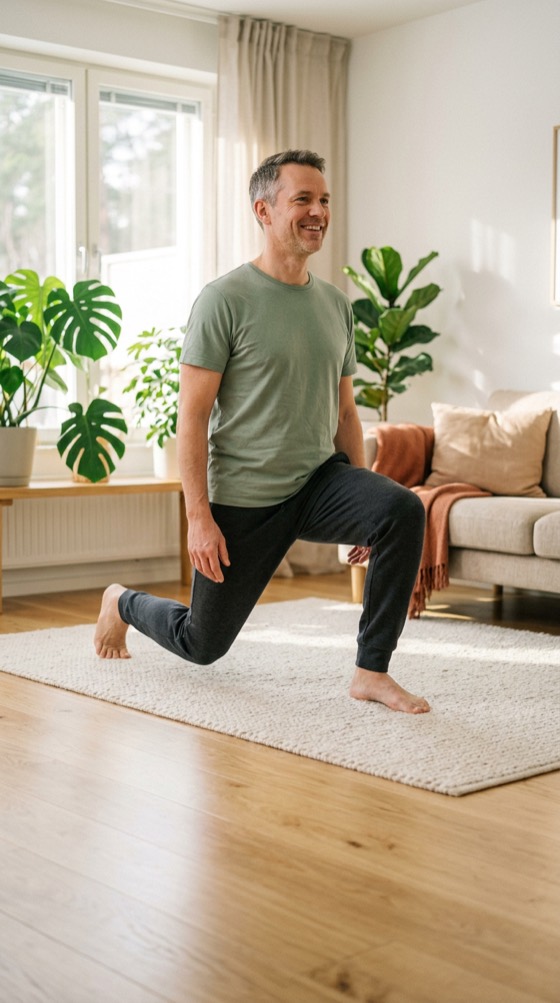
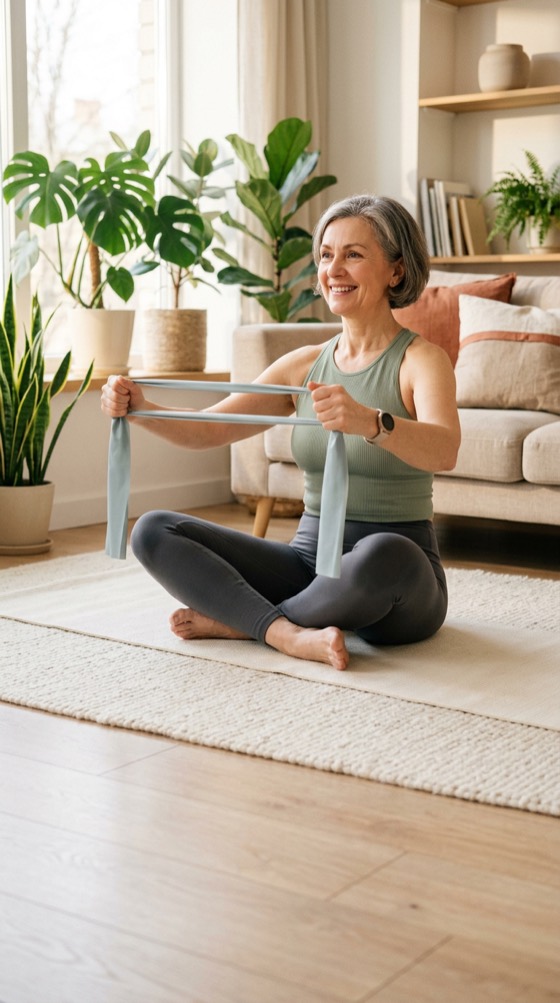
At twenty or at seventy. At home, on a mat or on a chair, with dumbbells or without equipment.




Progress
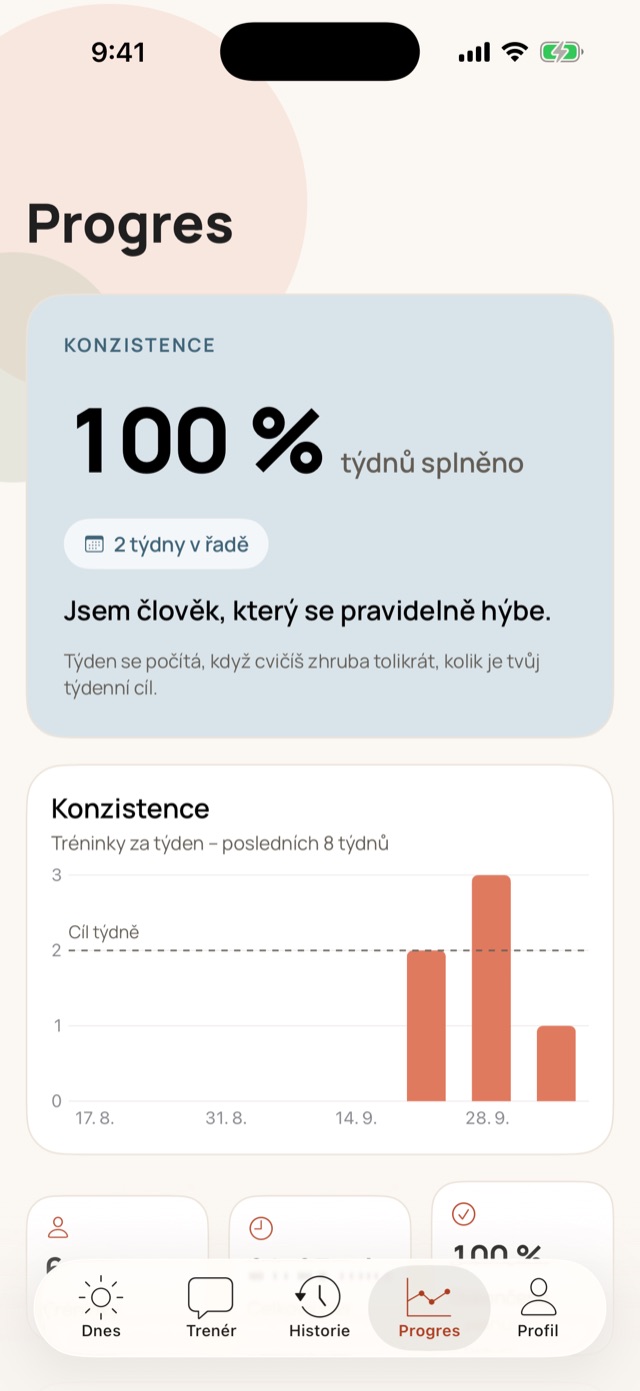
A week counts when you train about as often as your goal. No lost streaks because of one missed day.
Privacy
Frequently asked questions
We're preparing Beqela for release on the App Store for iPhone with iOS 18 or later. We'll announce the date here.
The first 7 days are free, without a payment card – during them the app builds your workouts from your profile. Then you continue with a monthly or yearly Premium subscription (the App Store shows the price in your currency): AI coach, chat and visual progress. You can cancel the subscription any time in your Apple ID settings.
No. In your profile you tick what you have at home (mat, dumbbells, kettlebell, bands, pull-up bar, bench), and the coach only picks exercises you can do with it.
No. Just sign in with Apple, Google or email. The AI coach is part of the app.
That's exactly why Beqela was created. The coach knows how long the break lasted, treats the first workouts as a comeback and adds intensity gradually – even if you'd like more.
Workouts from the AI coach are built over the internet; during the trial week workouts are built right on your phone. Animations, timers and voice cues run on the phone, so you can finish a workout in progress without signal. It's saved to your account as soon as you're online again.
No. Beqela diagnoses nothing. If something hurts, it adjusts or ends the workout, and with sharp pain or health issues it recommends seeing a professional.
Yes. In Profile you turn it off or change the time. The app only asks for notification permission after your first finished workout.
Not yet. But finished workouts can be saved to Apple Health.


Beqela is coming soon for iPhone. Stay fit for everything you love in life.
How it works